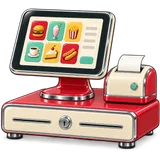
Diner POS hardware:DinerPOShardware:what works on the counterwhatworksonthecounter
GetDinerPOS runs in a browser, so the register can be a tablet, a laptop or a touch PC you already own. Add standard ESC/POS thermal printers for receipts and the kitchen, a cash drawer, and optionally a tablet as the kitchen screen. We don’t sell hardware, so you’re never locked in.
TabletPrinterDrawer
Hardware by station
Registers: tablets, PCs, touch terminals
Any device with a current Chrome, Edge, Safari or Firefox. Android or iPad tablets on a stand at the counter; Windows all-in-one touch terminals for the busy till.
Typical: 10-inch+ Android tablets, iPads, Windows touch PCs
Receipt printers
80 mm thermal printers with ESC/POS support, connected by USB to the register or by network (Ethernet/Wi-Fi).
Commonly used brands: Epson, Star Micronics, Xprinter
Kitchen printers
The same ESC/POS thermal printers, on the network so every register can send to them. Choose impact or heat-resistant models near the grill.
Network models preferred in the kitchen
Kitchen screens
Any tablet or monitor with a browser shows the kitchen screen. Wall-mount a 15–22-inch screen at the pass.
No special KDS hardware needed
Cash drawers
Standard RJ11/RJ12 cash drawers that open from the receipt printer’s drawer port.
Printer-driven drawers
Barcode scanners
USB or Bluetooth scanners in keyboard mode, useful for retail shelves, stock counts and receiving.
Any keyboard-wedge scanner
Label printers
For product and shelf labels, or prepared-food labels with dates, printed from the label screen.
Thermal label printers
Card terminals
Card payments work with your processor’s terminal. Amounts are keyed or sent depending on your processor; ask on your demo about your setup.
Works with your processor
Brand names are mentioned as examples of compatible categories, not endorsements or partnerships.
A typical setup per location
Station
Small diner
Busy diner
Counter
1 tablet + receipt printer + drawer
2 touch terminals + 2 printers + 2 drawers
Floor
Servers use the counter tablet
2–4 tablets or phones for servers
Kitchen
1 network kitchen printer
Kitchen printer at the line + screen at the pass
Office
Owner’s laptop or phone
Laptop for purchasing, transfers and reports
However many devices you add, the price stays per location. See pricing.
FAQ
Hardware questions
What hardware do I need for a diner POS?
At minimum, a tablet or PC with a browser at each register. Most diners add an 80 mm thermal receipt printer, a cash drawer, and a kitchen printer or a tablet as a kitchen screen.
Do you sell hardware?
No. We tell you what works and you buy it from a local supplier or reuse what you have. That keeps you free to choose and avoids lock-in.
Can I use an iPad?
Yes. GetDinerPOS runs in Safari on iPad. For printing from iPads, use network printers.
Do I need a special kitchen display?
No. Any tablet or monitor with a browser can be the kitchen screen.
Which card readers work?
Card payments go through your processor’s terminal. We do not certify or sell card readers.
Do kitchen printers print Arabic and Urdu?
Many current thermal printers do; older ones may not. Check the printer’s character-set support or ask us with the model number.
What internet connection do I need?
A normal business broadband connection per location plus a 4G/5G backup router for outages.
Can I reuse my old POS hardware?
Standard printers, drawers and scanners usually work. Terminals locked to a vendor do not.
Use the tabletsUsethetablets
you already own.youalreadyown.
Start a 30-day free trial. No card, no contract, no install — your online store builds itself from your menu.