

Kitchen screen in a browser
Any tablet or monitor; no special hardware.
Kitchen orders
When a server sends an order, GetDinerPOS sends it to the kitchen: as a printed ticket on a kitchen printer, on a kitchen screen in a browser, or both. Each ticket shows the table, server, items, modifiers and notes. Cooks mark items cooked on the screen, and servers see which orders are ready.
30-day trial, no cardIncluded from the Counter plan ($39/location/mo)
How it works
From the table or counter screen, with modifiers and notes like “no onion” or “allergy: nuts”.
A ticket prints at the kitchen printer and/or appears on the kitchen screen for that location.
Tap to mark items or the whole order cooked on the kitchen screen.
The orders screen shows the order as ready for the server to run.
Try it with your own menu. 30 days free, and the onboarding desk will import your menu.
Start free trialBoth work, and many diners use both. A thermal kitchen printer is cheap, survives grease and heat, and every cook already knows how to read a ticket.
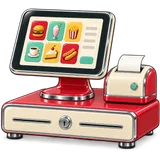
A kitchen screen (any tablet or monitor with a browser) removes paper, shows how long each order has waited, and lets the cook mark items done so the server knows without walking back.
In a multi-location group you can mix: the busy original diner keeps its printers, the new branch starts on screens, and both run on the same system.
What’s included
Any tablet or monitor; no special hardware.
Network or USB thermal printers at each location.
Every “extra crispy” makes it to the line.

Servers see when the kitchen marks food cooked.

Each branch sees only its own orders.

Print item names in the language your cooks read.
| Approach | What happens | Notes |
|---|---|---|
| Kitchen printer | Cheap, heat-proof, familiar; no ready status | Works with network/USB thermal printers |
| Kitchen screen | No paper, wait times visible, cooks mark items done | Any tablet or monitor with a browser |
| Both | Tickets for the line, screen for the expo/pass | Common in busy diners |
USA · UAE · Pakistan
Spanish item names on kitchen tickets help many US kitchens; set the language per item or per printer location.
USA detailsKitchens in the UAE often run English tickets with Arabic or Hindi-speaking cooks reading the item codes; short names keep tickets readable.
UAE detailsUrdu or English tickets; screens are popular with groups that want to see waiting times during iftar rushes.
Pakistan detailsStraight talk
Knowing the edges helps you plan. If one of these matters to you, ask on your demo.
FAQ
No. Kitchen tickets can print on a thermal kitchen printer. A kitchen screen is optional and runs on any tablet or monitor with a browser.
Yes. Many diners print tickets for the line and keep a screen at the pass so servers know what is ready.
Yes. Every modifier and free-text note on the order appears on the ticket and the kitchen screen.
Network (Ethernet/Wi-Fi) and USB thermal receipt printers that support standard ESC/POS commands. See the hardware guide.
Yes. A kitchen screen shows orders for its own location only.
Yes. On the kitchen screen cooks mark items or orders cooked, and servers see the change on their orders screen.
Yes. The interface and receipts can run in the location's language, and item names can carry translations.
No. Kitchen screens are included in every plan with no per-device fee.
Nothing on the board for that yet. Help center · Contact













